%20--%3e%3cdefs%3e%3cstyle%3e%20.st0%20{%20fill:%20%23ff1230;%20}%20.st1%20{%20fill:%20%23fff;%20}%20%3c/style%3e%3c/defs%3e%3cpath%20class='st0'%20d='M49.77,34.93l3.47-5.3,23.2-5.86,4.03-6.07-23.14,5.83,3.55-5.33,23.17-5.84,3.96-6.05-23.07,5.8,3.59-5.52-23.16,5.83,3.68-5.68-19.8,4.98c-2.49.63-4.65,2.16-6.07,4.3l-1.81,2.75,20-5.03c.7-.18,1.49-.1,1.75.21.21.25.09,1.12-.24,1.61l-1.85,2.7-19.34,4.87c-2.48.62-4.64,2.15-6.06,4.29l-1.82,2.75,20.12-5.04c.7-.18,1.53.11,1.64.48.09.31-.06,1.12-.4,1.6l-1.79,2.51-19.21,4.82c-2.51.63-4.69,2.19-6.11,4.36l-1.75,2.69,20.19-5.08c1.67-.25,1.96.77,1.1,2.08l-1.9,2.89,19.51-4.94c1.49-.38,2.88,0,1.87,1.62l-1.88,3.01,24.65-6.19,3.01-5.82-23.07,5.79ZM60.94,13.54c.53-.13,1.35.11,1.52.37.19.28-.02,1.14-.37,1.66l-1.73,2.56-22.57,5.67,3.51-5.31,19.64-4.95ZM30.19,35.24l3.49-5.33,19.75-4.95c1.34-.34,1.92.7,1.23,1.76l-1.83,2.83-22.65,5.7Z'/%3e%3cpath%20class='st1'%20d='M236.44,40.24l22.56-33.95h10.5l-22.56,33.95h-10.5Z'/%3e%3cpath%20class='st1'%20d='M368.54,15.18l5.9-8.88h-52.48l-5.64,8.49-3.45,5.19-5.01,7.54h0s40.4,0,40.4,0l-2.82,4.24h-72.13c-2.23,0-3.07-1.46-1.87-3.27l9.11-13.71h29.5l5.95-8.49h-40.31l-5.64,8.49-9.61,14.46c-.36.55-.67,1.08-.92,1.61-.15.31-.28.61-.39.9-1.52,4.06.3,7.25,4.69,8.2.48.1.99.18,1.54.23.44.04.9.06,1.38.06h85.14l8.46-12.73,5.24-7.89h-40.45l2.95-4.44h40.45Z'/%3e%3cpath%20class='st1'%20d='M198.16,6.32c-.19,0-.37-.03-.56-.03h-60.45l-37.03,26.63h-19.71l18.01-26.63h-10.5l-17.48,26.31c-2.17,3.27.17,7.64,4.09,7.64h28.01l37.22-25.46h6.27l-16.92,25.46h10.51l16.92-25.46h27.83l-.02.04h7.11c1.89.18,2.56,1.55,1.44,3.23l-1.3,1.96c-1.2,1.8-3.98,3.27-6.21,3.27h-25.26l-11.28,16.98h10.5l5.64-8.49h15.69c.48,0,.96-.02,1.45-.06.61-.05,1.22-.12,1.84-.23,5.65-.95,11.72-4.14,15.59-8.2.02-.02.04-.04.06-.06.74-.78,5.18-7.47,5.57-8.39h17.48l-16.94,25.49h10.51l16.94-25.49h14.98l5.65-8.5h-55.64Z'/%3e%3c/svg%3e)
Triple Screen vs Ultrawide: What You Gain in Corner Reference
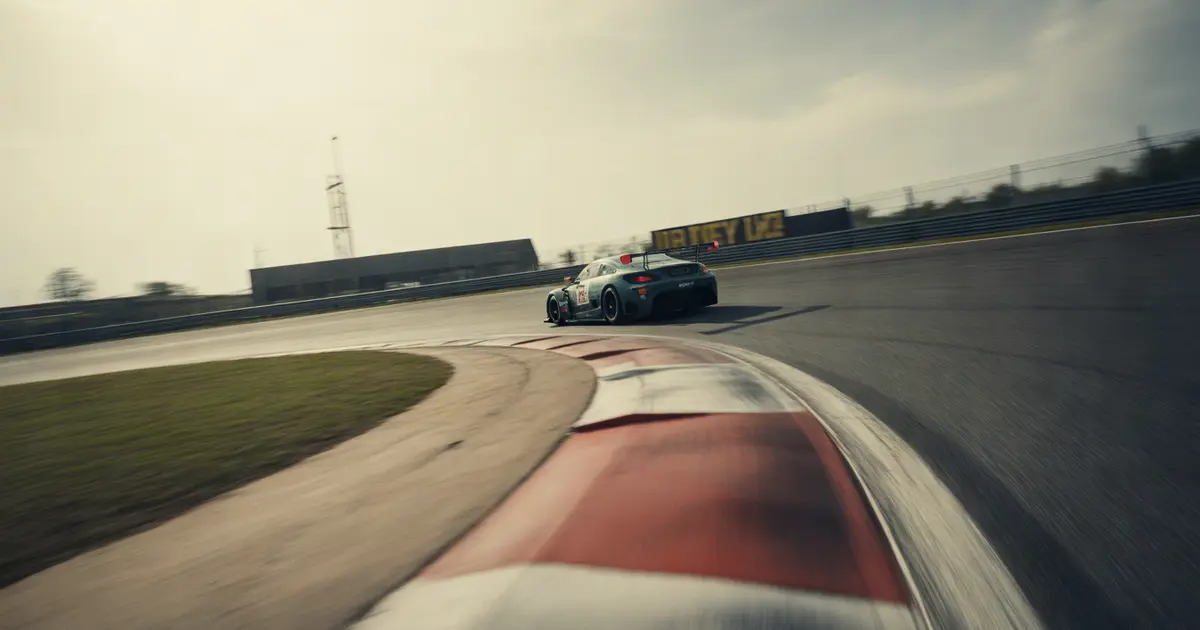
Direct comparison between triple screen and ultrawide for those who need precise corner reference: what each format delivers and where each one falls short.
Triple screen wins on corner reference because the side monitor shows the track with real angle and depth, revealing the car's rotation and the side apex before the mirror or the center view can deliver that information. Ultrawide wins on continuous field of view without a bezel between screens, but it flattens that same information into a single projection curve, which reduces the sense of rotation at the edges.
Neither format fixes bad driving on its own. The format changes the quality of the information reaching your eyes; what you do with that information still depends on method.
What counts as “corner reference”
Corner reference isn't just seeing the racing line. It's perceiving three things at once: where the side apex is, how much the car has already rotated on its axis, and what's entering your peripheral field on exit.
A single monitor handles the first. Triple screen and ultrawide compete over the second and third — and that's where the real difference between them shows up.
Triple screen vs ultrawide: direct comparison
| Criterion | Triple screen | Ultrawide |
|---|---|---|
| Perception of car rotation | High, angled side monitor | Medium, single stretched image |
| Image consistency | Bezels between screens | No frame, continuous image |
| FOV setup | Three FOVs to calibrate | One FOV, simpler |
| Cost and space | Higher, bigger rig | Lower, single unit |
Why the side monitor changes rotation perception
On a properly calibrated triple screen, the side monitor is physically angled relative to the center one. This roughly reproduces what the human eye picks up out of the corner: depth, not just width.
It's that depth that warns you “the car has already rotated more than you felt through the wheel.” On a track with a variable-radius corner, that visual cue arrives before the tire feedback does.
On ultrawide, the same information exists, but it's projected onto a single curved plane on a flat screen. At the edges of the image, perspective distortion increases — and that's exactly where the side reference lives.
That's why many drivers who switch from ultrawide to triple report braking later in the same corner without changing anything in the setup: it's not the hardware that got faster, it's the reference that got clearer.
Where ultrawide makes up for it
- Single FOV: one monitor, one distortion to calibrate, no risk of misalignment between side screens.
- Entry cost: less hardware, less rig support, fewer physical failure points.
- Transport: anyone taking their setup to an event or LAN deals with one piece, not three.
- Visual consistency: no image cut between screens, useful in closed-cockpit cars where the triple's frame can line up with the car's pillar.
For those racing in a closed-cockpit category, that last point matters. It's worth looking at the case described in how to drive a closed-cockpit car without side reference, because that reference problem exists even with triple screen.
The mistake that cancels out either option
A wrong FOV cancels the advantage of either format. A triple screen with too narrow a FOV pushes speed perception off and delays corner reading just as much as a poorly calibrated ultrawide.
Before deciding between the two formats, it's worth confirming whether the current problem isn't simply calibration. The article correct FOV: how to calculate it and why it changes your lap time gives the method for that, and why wrong FOV makes you brake early shows the most common symptom of this mistake.
How to confirm in the data whether the issue is visual
Swapping monitors is an expensive decision. Before spending, it's worth isolating whether the time loss is really visual reference or execution.
- Compare the lap on a long-radius corner: if the car rotates more than the steering input suggests, the error might be perception delay, not hand error.
- Look at the steering turn-in point: if it shifts from corner to corner with no track-related reason, the visual reference may be inconsistent.
- Confirm whether the side apex is respected: losing a few centimeters repeatedly on the same side points to edge reference, not random error.
- Test with a calibrated FOV first: only after the FOV is correct does it make sense to attribute the difference to the screen format.
The article how to know if you're turning the wheel too early at corner entry teaches how to read this specific symptom. And to find the exact corner where this costs the most time, the method in how to know exactly which corner is costing you the most time on your lap is worth using.
Where Laptics comes in
Laptics doesn't tell you whether you need to switch monitors. What it shows is whether the lost time is concentrated in a specific phase of the corner — entry, rotation, or exit — by comparing your laps automatically, with nothing to export.
If the delay always shows up during rotation, in corners on one specific side, that's a sign of visual reference, not brake or wheel. It's concrete data before deciding to spend on hardware.
Hardware changes the quality of the information reaching your eyes. What you do with that information is still method, training, and data reading.
Practical summary
If the budget allows and the rig space fits, triple screen delivers more corner reference, especially on tracks with variable-radius corners and open cars. Ultrawide is a solid choice when cost, space, or calibration simplicity matter more than that specific gain.
Before swapping anything, calibrate the correct FOV on what you already have and check the data to see if the loss is really visual reference. Sometimes the monitor is fine and the problem is something else.
Frequently asked questions
Is triple screen always better than ultrawide for sim racing?
Not always. It wins on peripheral reference and perception of car rotation, but ultrawide can be enough if the FOV is well calibrated and budget or space don't allow for three screens.
Can you get good corner reference with just ultrawide?
Yes, with FOV correctly calculated for the distance from your eyes to the screen. The loss is concentrated at the edges of the image, more noticeable on long-radius corners.
Does switching from ultrawide to triple guarantee a better lap time?
No, it doesn't guarantee it. It improves the quality of the visual reference, but the time gain depends on the driver already using that reference correctly.
How do I know if my problem is visual and not driving technique?
Compare the steering turn-in point between laps on the same corner. If it varies with no track-related reason, the problem may be reference, not execution.
Does wrong FOV affect triple screen or ultrawide more?
It affects both, but on triple screen the error multiplies because there are three screens to calibrate, and misalignment between them distorts the side depth even more.
Does Laptics tell me if I should switch monitors?
Not directly. It shows which phase of the corner you're losing time in, which helps diagnose whether the delay looks like a visual reference issue before investing in hardware.
Want to see this in your own telemetry?
See where you lose time per corner