%20--%3e%3cdefs%3e%3cstyle%3e%20.st0%20{%20fill:%20%23ff1230;%20}%20.st1%20{%20fill:%20%23fff;%20}%20%3c/style%3e%3c/defs%3e%3cpath%20class='st0'%20d='M49.77,34.93l3.47-5.3,23.2-5.86,4.03-6.07-23.14,5.83,3.55-5.33,23.17-5.84,3.96-6.05-23.07,5.8,3.59-5.52-23.16,5.83,3.68-5.68-19.8,4.98c-2.49.63-4.65,2.16-6.07,4.3l-1.81,2.75,20-5.03c.7-.18,1.49-.1,1.75.21.21.25.09,1.12-.24,1.61l-1.85,2.7-19.34,4.87c-2.48.62-4.64,2.15-6.06,4.29l-1.82,2.75,20.12-5.04c.7-.18,1.53.11,1.64.48.09.31-.06,1.12-.4,1.6l-1.79,2.51-19.21,4.82c-2.51.63-4.69,2.19-6.11,4.36l-1.75,2.69,20.19-5.08c1.67-.25,1.96.77,1.1,2.08l-1.9,2.89,19.51-4.94c1.49-.38,2.88,0,1.87,1.62l-1.88,3.01,24.65-6.19,3.01-5.82-23.07,5.79ZM60.94,13.54c.53-.13,1.35.11,1.52.37.19.28-.02,1.14-.37,1.66l-1.73,2.56-22.57,5.67,3.51-5.31,19.64-4.95ZM30.19,35.24l3.49-5.33,19.75-4.95c1.34-.34,1.92.7,1.23,1.76l-1.83,2.83-22.65,5.7Z'/%3e%3cpath%20class='st1'%20d='M236.44,40.24l22.56-33.95h10.5l-22.56,33.95h-10.5Z'/%3e%3cpath%20class='st1'%20d='M368.54,15.18l5.9-8.88h-52.48l-5.64,8.49-3.45,5.19-5.01,7.54h0s40.4,0,40.4,0l-2.82,4.24h-72.13c-2.23,0-3.07-1.46-1.87-3.27l9.11-13.71h29.5l5.95-8.49h-40.31l-5.64,8.49-9.61,14.46c-.36.55-.67,1.08-.92,1.61-.15.31-.28.61-.39.9-1.52,4.06.3,7.25,4.69,8.2.48.1.99.18,1.54.23.44.04.9.06,1.38.06h85.14l8.46-12.73,5.24-7.89h-40.45l2.95-4.44h40.45Z'/%3e%3cpath%20class='st1'%20d='M198.16,6.32c-.19,0-.37-.03-.56-.03h-60.45l-37.03,26.63h-19.71l18.01-26.63h-10.5l-17.48,26.31c-2.17,3.27.17,7.64,4.09,7.64h28.01l37.22-25.46h6.27l-16.92,25.46h10.51l16.92-25.46h27.83l-.02.04h7.11c1.89.18,2.56,1.55,1.44,3.23l-1.3,1.96c-1.2,1.8-3.98,3.27-6.21,3.27h-25.26l-11.28,16.98h10.5l5.64-8.49h15.69c.48,0,.96-.02,1.45-.06.61-.05,1.22-.12,1.84-.23,5.65-.95,11.72-4.14,15.59-8.2.02-.02.04-.04.06-.06.74-.78,5.18-7.47,5.57-8.39h17.48l-16.94,25.49h10.51l16.94-25.49h14.98l5.65-8.5h-55.64Z'/%3e%3c/svg%3e)
Correct FOV: how to calculate it and why it changes your lap time
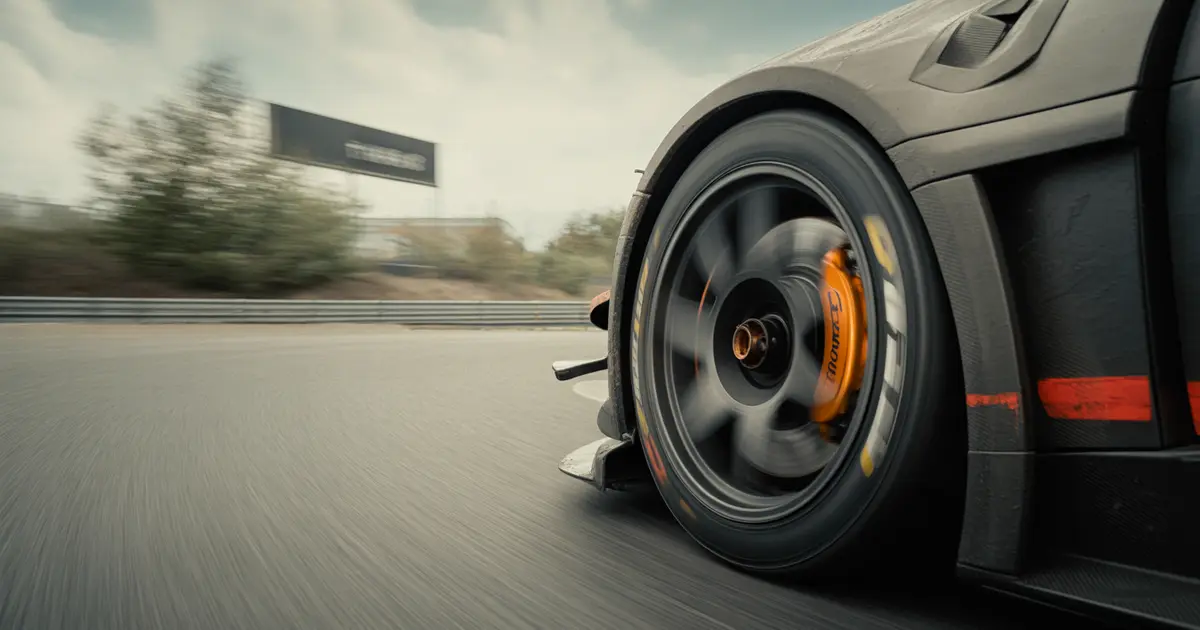
FOV isn’t aesthetics, it’s math. See the formula to calculate the right field of view and why a wrong FOV delays your braking and distorts the apex.
Correct FOV is the viewing angle that makes the screen reproduce the same perspective your eyes would have inside the car, calculated from the real distance between your face and the screen. It is not a matter of taste: it is a calculation with two numbers, distance and screen width.
Getting this angle wrong changes how your brain estimates speed and distance. An FOV that is too wide makes everything look slower and farther away, which delays braking and makes you miss the apex by a small margin.
How to calculate the correct FOV
The formula
The calculation is simple trigonometry: horizontal FOV = 2 × arctan(screen width ÷ (2 × eye-to-screen distance)). Measure in centimeters and the result comes out in radians, then convert it to degrees.
Practical example: sitting 70 cm from a monitor with 60 cm of usable width, the calculation gives around 46 horizontal degrees. That is the value that goes into the game’s FOV field, not a number copied from a forum.
Single monitor, triple screen and VR
On a single monitor the calculation above solves it. On triple screen, the total FOV depends on the combined width of the three screens and the angle between them, so the correct number tends to be much larger than intuition suggests at first glance.
In VR the FOV is fixed by the headset, so there is nothing to calculate there. What needs adjusting is the focal distance or the software’s IPD, and a wrong value at that point creates the same kind of scale distortion as a wrong FOV on a monitor.
Why the wrong FOV changes your lap time
An FOV that is too wide reduces your perception of closing speed relative to the car ahead and to braking zones. You can see the track, but your brain receives less information about how fast it is coming at you, and the result is late braking or uncertainty at the trail braking point, the same topic covered in how to release the brake in proportion to steering.
An FOV that is too narrow does the opposite: the sensation of speed becomes exaggerated and the driver tends to brake too early, while also losing peripheral vision of the track edges, which is exactly where the apex and track limits happen.
FOV does not change the car. It changes the information that reaches you before you decide where to brake — and a wrong decision at corner entry is where most of the time is lost, as shown in why you lose time in the rotation phase, not in braking.
How to diagnose if your FOV is wrong
- Straight-line test: at top speed, if the track feels “too slow” for the number on the speedometer, your FOV is probably too wide.
- Apex test: if you consistently clip the apex by a small margin in corners you have already mastered, the problem may be peripheral vision cut off by a narrow FOV.
- Car-ahead test: in a race, if you get startled by proximity too late, your perception of closing speed is distorted.
- Braking-point test: mark a fixed track reference and brake at the same point for five laps; if the feeling of “early” or “late” varies for no reason, FOV is suspect.
- Cross test: change the FOV to the calculated value and repeat the previous four laps, comparing the feeling, not just the time.
Symptom vs likely cause
| Symptom | Likely cause |
|---|---|
| Brakes late and locks a wheel | FOV too wide |
| Brakes early and loses time | FOV too narrow |
| Clips apex without noticing | Peripheral vision cut off |
| Feels unsafe when overtaking | Distorted distance judgment |
The common mistake: adjusting FOV for looks
Many drivers raise the FOV to “see more car on screen” or lower it to look more “cinematic”. Both cases ignore the real distance from eyes to screen, and the result is a perspective that does not match the physical reality of the cockpit.
This mistake is more dangerous than it seems because the driver gets used to the distortion and starts trusting it. The track may have changed, the FOV may have been reset by a game update, and the habit stays the same, hiding the real cause of the braking error.
How to validate the change in the data
Adjusting FOV by calculation is the first step. The second is confirming that the change actually moved the braking point and not just the subjective feeling.
Compare the brake application point, corner by corner, between the session with the old FOV and the session with the calculated FOV. It is the same type of comparison used to identify exactly which corner is costing the most time in the lap: without this phase-by-phase comparison, the feeling of “it got better” may just be familiarity with the new angle, not a real gain.
Laptics automatically records telemetry while you drive in iRacing, Assetto Corsa, ACC, GT7 or F1 25 and compares laps by corner phase, showing whether the braking point actually changed after the FOV adjustment or whether only the impression changed.
Practical summary
- Measure before adjusting: eye-to-screen distance and usable width, without guessing.
- Apply the formula or an FOV calculator for sim racing instead of copying a value from another driver with a different screen setup.
- Validate with a track test before trusting the number, using fixed braking references.
- Confirm in the data whether the braking point actually changed, not just the feeling.
Frequently asked questions
What is the ideal FOV for iRacing?
There is no universal number: it depends on the distance from your eyes to the screen and its width. Use the formula or an FOV calculator and enter the calculated value in the game’s FOV field.
Does a wider FOV help see more opponents at the side?
It helps peripheral vision, but distorts speed and distance perception when braking. The gain in side vision does not make up for the delay in the braking point if the value does not match the real screen distance.
Do I need to calculate FOV in VR?
Not the same way. FOV in VR is set by the headset; what needs attention is the focal distance or the IPD configured in the software, which creates the same kind of distortion if set wrong.
How do I calculate FOV for triple screen?
Use the combined width of the three screens and the angle between them, not the width of a single screen. The final value tends to be larger than intuition suggests.
Does changing FOV require recalibrating the wheel or pedals?
No. FOV only affects the camera and visual perception, not the physical response of the wheel or pedals.
How do I know if my current FOV is wrong without doing the math?
Pay attention to whether you frequently brake too late or too early at reference points you already know well. That is a sign that speed perception is distorted by the viewing angle.
Does Laptics adjust the FOV for me?
No. Laptics records telemetry and compares the braking point between sessions, which helps confirm whether an FOV change actually moved that point, but adjusting the value in-game is done by the driver.
Want to see this in your own telemetry?
I want to compare my braking point before and after