%20--%3e%3cdefs%3e%3cstyle%3e%20.st0%20{%20fill:%20%23ff1230;%20}%20.st1%20{%20fill:%20%23fff;%20}%20%3c/style%3e%3c/defs%3e%3cpath%20class='st0'%20d='M49.77,34.93l3.47-5.3,23.2-5.86,4.03-6.07-23.14,5.83,3.55-5.33,23.17-5.84,3.96-6.05-23.07,5.8,3.59-5.52-23.16,5.83,3.68-5.68-19.8,4.98c-2.49.63-4.65,2.16-6.07,4.3l-1.81,2.75,20-5.03c.7-.18,1.49-.1,1.75.21.21.25.09,1.12-.24,1.61l-1.85,2.7-19.34,4.87c-2.48.62-4.64,2.15-6.06,4.29l-1.82,2.75,20.12-5.04c.7-.18,1.53.11,1.64.48.09.31-.06,1.12-.4,1.6l-1.79,2.51-19.21,4.82c-2.51.63-4.69,2.19-6.11,4.36l-1.75,2.69,20.19-5.08c1.67-.25,1.96.77,1.1,2.08l-1.9,2.89,19.51-4.94c1.49-.38,2.88,0,1.87,1.62l-1.88,3.01,24.65-6.19,3.01-5.82-23.07,5.79ZM60.94,13.54c.53-.13,1.35.11,1.52.37.19.28-.02,1.14-.37,1.66l-1.73,2.56-22.57,5.67,3.51-5.31,19.64-4.95ZM30.19,35.24l3.49-5.33,19.75-4.95c1.34-.34,1.92.7,1.23,1.76l-1.83,2.83-22.65,5.7Z'/%3e%3cpath%20class='st1'%20d='M236.44,40.24l22.56-33.95h10.5l-22.56,33.95h-10.5Z'/%3e%3cpath%20class='st1'%20d='M368.54,15.18l5.9-8.88h-52.48l-5.64,8.49-3.45,5.19-5.01,7.54h0s40.4,0,40.4,0l-2.82,4.24h-72.13c-2.23,0-3.07-1.46-1.87-3.27l9.11-13.71h29.5l5.95-8.49h-40.31l-5.64,8.49-9.61,14.46c-.36.55-.67,1.08-.92,1.61-.15.31-.28.61-.39.9-1.52,4.06.3,7.25,4.69,8.2.48.1.99.18,1.54.23.44.04.9.06,1.38.06h85.14l8.46-12.73,5.24-7.89h-40.45l2.95-4.44h40.45Z'/%3e%3cpath%20class='st1'%20d='M198.16,6.32c-.19,0-.37-.03-.56-.03h-60.45l-37.03,26.63h-19.71l18.01-26.63h-10.5l-17.48,26.31c-2.17,3.27.17,7.64,4.09,7.64h28.01l37.22-25.46h6.27l-16.92,25.46h10.51l16.92-25.46h27.83l-.02.04h7.11c1.89.18,2.56,1.55,1.44,3.23l-1.3,1.96c-1.2,1.8-3.98,3.27-6.21,3.27h-25.26l-11.28,16.98h10.5l5.64-8.49h15.69c.48,0,.96-.02,1.45-.06.61-.05,1.22-.12,1.84-.23,5.65-.95,11.72-4.14,15.59-8.2.02-.02.04-.04.06-.06.74-.78,5.18-7.47,5.57-8.39h17.48l-16.94,25.49h10.51l16.94-25.49h14.98l5.65-8.5h-55.64Z'/%3e%3c/svg%3e)
Why the Wrong FOV Makes You Brake Too Early
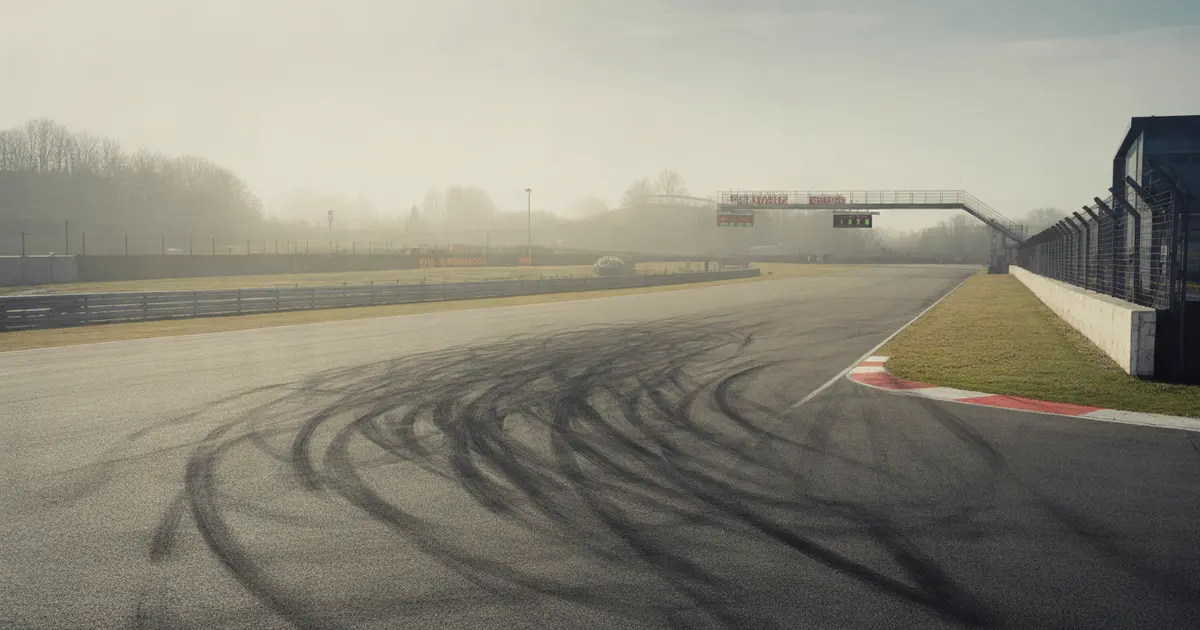
A narrow FOV distorts the apparent closing speed of the corner and triggers early braking. See how to diagnose it on your own setup and fix it without losing track time.
Why the Wrong FOV Makes You Brake Too Early
A FOV that’s too narrow makes the track look like it’s approaching faster than it actually is. Your brain reacts to that apparent speed, not the car’s real speed, and triggers the brake before the point you’ve already trained.
The opposite also happens: a FOV that’s too wide makes everything look farther away and slower, and then the risk is braking too late while trusting a visual cue that deceives you in the other direction. Both problems share the same root — the gap between what the screen shows and what your body perceives on the rig.
What Changes in Your Perception With the Wrong FOV
A narrow field of view works like a zoom lens. It increases the apparent size of everything ahead and reduces peripheral vision, which is exactly the channel your brain uses to calculate closing speed.
Without enough peripheral input, the brain starts estimating the approach to the corner by how fast the object in the center of the screen grows — the braking board, the wall, the gantry. With a narrow FOV, that growth visually accelerates faster than the car’s real speed. The result is a sense of urgency that arrives too early.
How It Shows Up on Track, Corner by Corner
- Early braking in fast corners: you lift and hit the brake meters before the reference other drivers use in the same car.
- A feeling of “too much speed” without the car being unstable: the wheel is calm, the rear doesn’t move, but your head tells you to brake anyway.
- Inconsistency between tracks: the problem disappears on wide, slow layouts and gets worse on short straights followed by a tight-radius corner, where the object’s visual growth is more abrupt.
- Greater fear on real-track replicas with close walls: the brain uses the wall as a distance reference and, with a narrow FOV, it “arrives” before it should.
Narrow FOV vs. Wide FOV: Different Symptoms
| Symptom | Narrow FOV | Wide FOV |
|---|---|---|
| Braking point | Early | Late |
| Perceived speed | Higher than real | Lower than real |
| Feeling in slow corners | Corner feels tighter | Corner feels more open |
How to Diagnose It in Your Own Data
You can’t confirm this from feel alone. You need to compare the real braking point, recorded by telemetry, with the point you think you’re using.
- Mark the braking point of a corner you know by looking at the brake channel overlaid with track distance, not your guess from memory.
- Compare it with a reference lap of your own, recorded before any FOV change, or with another driver’s lap in the same car and track.
- Repeat for three corner types — fast, medium and slow — because a FOV error doesn’t affect all of them the same way.
- Calculate the correct FOV for your monitor and viewing distance using the formula based on focal distance, not on “what looks right.” That calculation is detailed in how to calculate the correct FOV and why it changes your lap time.
- Adjust one value at a time and run the same corner again, comparing the new braking point with the old one on the same graph.
The brake doesn’t make mistakes on its own. It responds to what your eyes tell it — and if the FOV is wrong, your eyes are sending the wrong information.
When the Problem Isn’t the FOV
Before touching the FOV, rule out other causes that produce the same symptom. Braking early also happens from a lack of confidence in front tire grip, from a setup with entry understeer, or from a habit built on a track with less trail braking than ideal.
To separate a visual cause from a mechanical one, look at the steering channel alongside the brake channel. If the wheel is already turning before braking ends, the problem may be technique, not screen — it’s worth checking how to check if trail braking is slowing you down. If the early-braking pattern disappears when you switch cars but keep the same rig and FOV, the problem is more likely setup than vision.
How Much This Costs in Lap Time
The exact cost depends on the corner, the track, and how far your real braking point is from the ideal one — there’s no fixed number to generalize. What can be said is that braking before the right point costs time in two phases: during the braking itself, because you convert too much speed too early, and on exit, because you reach the apex slower than you needed to.
To understand how each driving mistake translates into milliseconds lost on your specific lap, it’s worth reviewing how many milliseconds each driving mistake costs on a lap. And to know whether the corner where you lose the most time is exactly one where FOV distorts the most — a fast corner followed by a short straight — the way to find out is to identify which corner is costing you the most time on your lap before going off to adjust the screen.
How Laptics Helps Confirm the Diagnosis
Laptics records telemetry automatically while you drive in iRacing, Assetto Corsa, ACC, Gran Turismo 7 or F1 25, with no manual export. The analysis compares your laps by corner phase and shows where the braking point shifts from one session to another.
This enables a practical test: record one session before adjusting the FOV and another after, on the same track. If the braking point moves in the right direction on the corners you suspected, the adjustment worked. If it doesn’t move, the problem is elsewhere — it’s worth reviewing which three channels to check first in telemetry to investigate what’s really costing you time.
Practical Summary
A narrow FOV triggers early braking because it distorts the apparent closing speed. A wide FOV does the opposite. The way to confirm it isn’t feel — it’s comparing the real braking point in the data before and after the adjustment, corner by corner, while ruling out other causes like setup and trail braking technique.
Frequently asked questions
What’s the clearest sign that FOV is causing early braking?
The braking point in telemetry is consistently earlier than the point you used in previous sessions or that other drivers use in the same car, with no apparent mechanical cause.
Does a wrong FOV affect fast corners or slow corners more?
It affects fast corners preceded by a short straight more, because the visual growth of the reference object happens more abruptly in that scenario.
Can you fix the FOV and feel the difference in the same session?
Yes, but the adjustment needs a few laps for the brain to recalibrate the distance reference before you can confirm the new braking point in the data.
Is the correct FOV the same for every car?
No. The calculation depends on your monitor’s or VR headset’s focal distance and the distance between your eyes and the screen, not on the car itself.
How do you separate early braking caused by FOV from early braking caused by low tire confidence?
Compare the steering channel with the brake channel: if the wheel is calm and the car is stable, the cause tends to be visual, not mechanical.
Does Laptics adjust the FOV automatically?
No. Laptics records and analyzes telemetry automatically, showing where the braking point shifts between sessions, but the FOV adjustment itself is made by the driver.
Is it worth changing the FOV in the middle of a championship?
Only if the consistency gain outweighs the readjustment time; it’s best to test it in free practice before taking it into the race.
Want to see this in your own telemetry?
Analyze your telemetry with Laptics