%20--%3e%3cdefs%3e%3cstyle%3e%20.st0%20{%20fill:%20%23ff1230;%20}%20.st1%20{%20fill:%20%23fff;%20}%20%3c/style%3e%3c/defs%3e%3cpath%20class='st0'%20d='M49.77,34.93l3.47-5.3,23.2-5.86,4.03-6.07-23.14,5.83,3.55-5.33,23.17-5.84,3.96-6.05-23.07,5.8,3.59-5.52-23.16,5.83,3.68-5.68-19.8,4.98c-2.49.63-4.65,2.16-6.07,4.3l-1.81,2.75,20-5.03c.7-.18,1.49-.1,1.75.21.21.25.09,1.12-.24,1.61l-1.85,2.7-19.34,4.87c-2.48.62-4.64,2.15-6.06,4.29l-1.82,2.75,20.12-5.04c.7-.18,1.53.11,1.64.48.09.31-.06,1.12-.4,1.6l-1.79,2.51-19.21,4.82c-2.51.63-4.69,2.19-6.11,4.36l-1.75,2.69,20.19-5.08c1.67-.25,1.96.77,1.1,2.08l-1.9,2.89,19.51-4.94c1.49-.38,2.88,0,1.87,1.62l-1.88,3.01,24.65-6.19,3.01-5.82-23.07,5.79ZM60.94,13.54c.53-.13,1.35.11,1.52.37.19.28-.02,1.14-.37,1.66l-1.73,2.56-22.57,5.67,3.51-5.31,19.64-4.95ZM30.19,35.24l3.49-5.33,19.75-4.95c1.34-.34,1.92.7,1.23,1.76l-1.83,2.83-22.65,5.7Z'/%3e%3cpath%20class='st1'%20d='M236.44,40.24l22.56-33.95h10.5l-22.56,33.95h-10.5Z'/%3e%3cpath%20class='st1'%20d='M368.54,15.18l5.9-8.88h-52.48l-5.64,8.49-3.45,5.19-5.01,7.54h0s40.4,0,40.4,0l-2.82,4.24h-72.13c-2.23,0-3.07-1.46-1.87-3.27l9.11-13.71h29.5l5.95-8.49h-40.31l-5.64,8.49-9.61,14.46c-.36.55-.67,1.08-.92,1.61-.15.31-.28.61-.39.9-1.52,4.06.3,7.25,4.69,8.2.48.1.99.18,1.54.23.44.04.9.06,1.38.06h85.14l8.46-12.73,5.24-7.89h-40.45l2.95-4.44h40.45Z'/%3e%3cpath%20class='st1'%20d='M198.16,6.32c-.19,0-.37-.03-.56-.03h-60.45l-37.03,26.63h-19.71l18.01-26.63h-10.5l-17.48,26.31c-2.17,3.27.17,7.64,4.09,7.64h28.01l37.22-25.46h6.27l-16.92,25.46h10.51l16.92-25.46h27.83l-.02.04h7.11c1.89.18,2.56,1.55,1.44,3.23l-1.3,1.96c-1.2,1.8-3.98,3.27-6.21,3.27h-25.26l-11.28,16.98h10.5l5.64-8.49h15.69c.48,0,.96-.02,1.45-.06.61-.05,1.22-.12,1.84-.23,5.65-.95,11.72-4.14,15.59-8.2.02-.02.04-.04.06-.06.74-.78,5.18-7.47,5.57-8.39h17.48l-16.94,25.49h10.51l16.94-25.49h14.98l5.65-8.5h-55.64Z'/%3e%3c/svg%3e)
Which Three Telemetry Channels to Check First
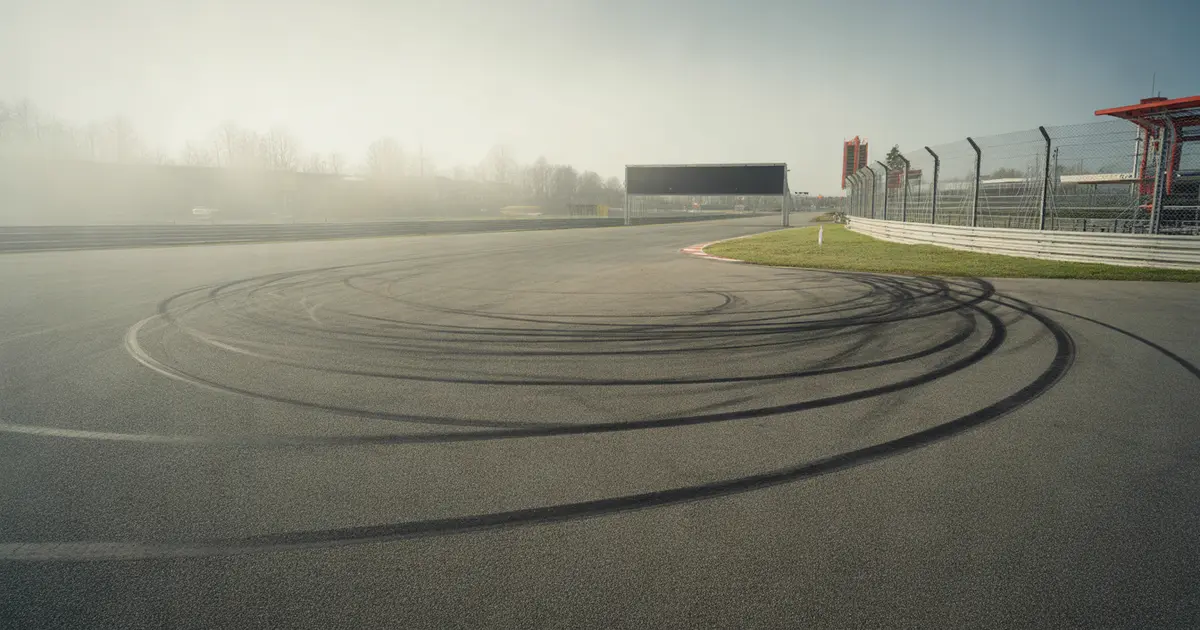
Brake, throttle, and steering: the three channels that show the driver's gesture, not the car's behaviour — and that's why they're the first thing to open when comparing against a reference lap.
The three channels that reveal most about where you lose time are brake, throttle, and steering angle, overlaid with a reference lap faster than yours. They show the driver's gesture, not the car's behaviour — and gesture is what you can actually train tomorrow.
Suspension, tyre temperature, aero load: all of that matters, but it depends on setup and car. The three input channels are universal. They work on the Mazda MX-5 and the GT3, in iRacing and in GT7.
Why start with the inputs, not the car
Suspension and tyre channels need setup context to make sense. Two cars with different springs will show completely different travel curves for the same track behaviour.
Brake, throttle, and steering don't have that problem. They are exactly what your hand and foot did, period. Comparing your trace to a reference lap isolates precisely where the gesture diverges.
Channel 1: brake pressure
Don't just look at the braking point. Look at the shape of the entire pressure curve: peak, plateau, release.
- Late or soft peak: indicates hesitation on entry, usually a sign of insecurity about the grip available in that specific corner.
- Plateau too long: the driver holds constant pressure when they should already be releasing, which delays the car's rotation.
- Stepped release: the brake drops all at once instead of tapering off gradually, which destabilises the front axle mid-corner.
This channel alone already explains a good portion of the cases where the driver thinks they're slow on the straight but are actually losing time under braking. To separate the two symptoms, it's worth revisiting how to check whether trail braking is slowing you down directly from the data.
Channel 2: throttle
The throttle exposes what the braking hid. If the brake came off too early or in a step, the return to throttle comes locked up.
- Delay on first touch: the driver waits for the car to settle before returning to throttle, a sign they still don't trust the rear at that point.
- Stepped ramp: throttle application in jumps instead of a smooth curve usually generates exit oversteer in more powerful cars.
- Premature plateau: full throttle before the car is aligned with the track, which works in some front-wheel-drive cars and sabotages others with rear-wheel drive.
This channel is where most time is lost without noticing, because the mistake doesn't hurt on the wheel — it only shows up on the stopwatch. It's the same reasoning behind why you lose time in the rotation phase, not under braking.
Channel 3: steering angle
The steering wheel shows whether the trajectory is repeatable. Irregular steering peaks indicate correction, not driving.
| Symptom in the trace | What it usually indicates |
|---|---|
| Double peak on entry | Correction of under or oversteer, unplanned trajectory |
| Unstable plateau at the apex | Driver adjusting the radius in real time, with no fixed turn-in point |
| Asymmetry between mirrored corners | Difference in confidence, not car, between left and right |
When steering and brake appear out of proportion — a lot of angle with still-high brake pressure — the front axle is overloaded. That's exactly the point covered in how to release the brake in proportion to the steering.
How to read the three together
- Open all three overlaid with your best lap and the reference lap, on the same corner, at the same distance segment.
- Mark where the brake diverges first, because that's the origin point of the delay — everything after is a consequence.
- Check whether the steering compensated for the brake difference with more angle or with correction.
- See when the throttle reacted to the earlier divergence, to know whether the cost was on entry, mid-corner, or on exit.
This exercise points to the exact phase of the corner where the time disappears. If you're unsure which corner of the whole lap deserves this analysis first, it's worth the method in how to know exactly which corner is costing you the most time in your lap.
Common mistake when comparing the channels
Comparing against the fastest lap of the entire day, instead of a clean and representative lap. An isolated record lap usually has a one-off setup that doesn't repeat — it becomes noise, not a reference.
Another mistake is judging the channel outside the corner's context. A late brake peak on a straight-line braking corner means one thing; the same pattern on a trail-braking corner means another, because the front tyre is already loaded laterally.
The three channels don't tell you what to do with the wheel. They tell you where your gesture diverges from the fast lap — the training starts after that.
Where Laptics fits in
Laptics records telemetry automatically while you drive and compares laps phase by phase through each corner, showing how much time each gesture cost in brake, throttle, and steering. The Driver DNA gathers these patterns that repeat across sessions, so you know whether the problem is the corner or you, on any track.
Practical summary
Start with the three input channels, not the car's channels. Brake reveals where hesitation begins, throttle reveals the cost of that hesitation, steering reveals whether the trajectory was planned or corrected. Overlay with a clean reference lap and look at where the divergence appears first — that's where tomorrow's training should aim.
Frequently asked questions
Why not look at the speed channel first?
The speed channel shows the result, not the cause. Brake, throttle, and steering show the gesture that produced that speed, and gesture is what you can correct.
Do these three channels work for any simulator?
Yes. They are driver input channels, available in iRacing, ACC, Assetto Corsa, GT7, and F1 25, regardless of car or setup.
Which lap should I use as a reference for comparison?
A clean lap that's representative of your consistent pace, not the single fastest lap of the day, which usually has a one-off setup that won't repeat.
What should I do when all three channels look normal but the time is still bad?
Check whether the comparison is being made segment by segment on the same corner, not over the whole lap. Small divergences in one channel only show up when we isolate the right phase.
Shouldn't suspension and tyre temperature be part of this first analysis?
They come afterwards. They depend on setup and car, and without isolating the driver's gesture first, it's easy to confuse a setup effect with a driving effect.
How does Laptics help with this analysis?
Laptics records telemetry automatically and compares your laps phase by phase through the corner across these channels, showing how much time each gesture cost against a reference.
Want to see this in your own telemetry?
Discover Laptics