%20--%3e%3cdefs%3e%3cstyle%3e%20.st0%20{%20fill:%20%23ff1230;%20}%20.st1%20{%20fill:%20%23fff;%20}%20%3c/style%3e%3c/defs%3e%3cpath%20class='st0'%20d='M49.77,34.93l3.47-5.3,23.2-5.86,4.03-6.07-23.14,5.83,3.55-5.33,23.17-5.84,3.96-6.05-23.07,5.8,3.59-5.52-23.16,5.83,3.68-5.68-19.8,4.98c-2.49.63-4.65,2.16-6.07,4.3l-1.81,2.75,20-5.03c.7-.18,1.49-.1,1.75.21.21.25.09,1.12-.24,1.61l-1.85,2.7-19.34,4.87c-2.48.62-4.64,2.15-6.06,4.29l-1.82,2.75,20.12-5.04c.7-.18,1.53.11,1.64.48.09.31-.06,1.12-.4,1.6l-1.79,2.51-19.21,4.82c-2.51.63-4.69,2.19-6.11,4.36l-1.75,2.69,20.19-5.08c1.67-.25,1.96.77,1.1,2.08l-1.9,2.89,19.51-4.94c1.49-.38,2.88,0,1.87,1.62l-1.88,3.01,24.65-6.19,3.01-5.82-23.07,5.79ZM60.94,13.54c.53-.13,1.35.11,1.52.37.19.28-.02,1.14-.37,1.66l-1.73,2.56-22.57,5.67,3.51-5.31,19.64-4.95ZM30.19,35.24l3.49-5.33,19.75-4.95c1.34-.34,1.92.7,1.23,1.76l-1.83,2.83-22.65,5.7Z'/%3e%3cpath%20class='st1'%20d='M236.44,40.24l22.56-33.95h10.5l-22.56,33.95h-10.5Z'/%3e%3cpath%20class='st1'%20d='M368.54,15.18l5.9-8.88h-52.48l-5.64,8.49-3.45,5.19-5.01,7.54h0s40.4,0,40.4,0l-2.82,4.24h-72.13c-2.23,0-3.07-1.46-1.87-3.27l9.11-13.71h29.5l5.95-8.49h-40.31l-5.64,8.49-9.61,14.46c-.36.55-.67,1.08-.92,1.61-.15.31-.28.61-.39.9-1.52,4.06.3,7.25,4.69,8.2.48.1.99.18,1.54.23.44.04.9.06,1.38.06h85.14l8.46-12.73,5.24-7.89h-40.45l2.95-4.44h40.45Z'/%3e%3cpath%20class='st1'%20d='M198.16,6.32c-.19,0-.37-.03-.56-.03h-60.45l-37.03,26.63h-19.71l18.01-26.63h-10.5l-17.48,26.31c-2.17,3.27.17,7.64,4.09,7.64h28.01l37.22-25.46h6.27l-16.92,25.46h10.51l16.92-25.46h27.83l-.02.04h7.11c1.89.18,2.56,1.55,1.44,3.23l-1.3,1.96c-1.2,1.8-3.98,3.27-6.21,3.27h-25.26l-11.28,16.98h10.5l5.64-8.49h15.69c.48,0,.96-.02,1.45-.06.61-.05,1.22-.12,1.84-.23,5.65-.95,11.72-4.14,15.59-8.2.02-.02.04-.04.06-.06.74-.78,5.18-7.47,5.57-8.39h17.48l-16.94,25.49h10.51l16.94-25.49h14.98l5.65-8.5h-55.64Z'/%3e%3c/svg%3e)
Tarumã: how to use the Lake Corner kerb without destabilizing the car
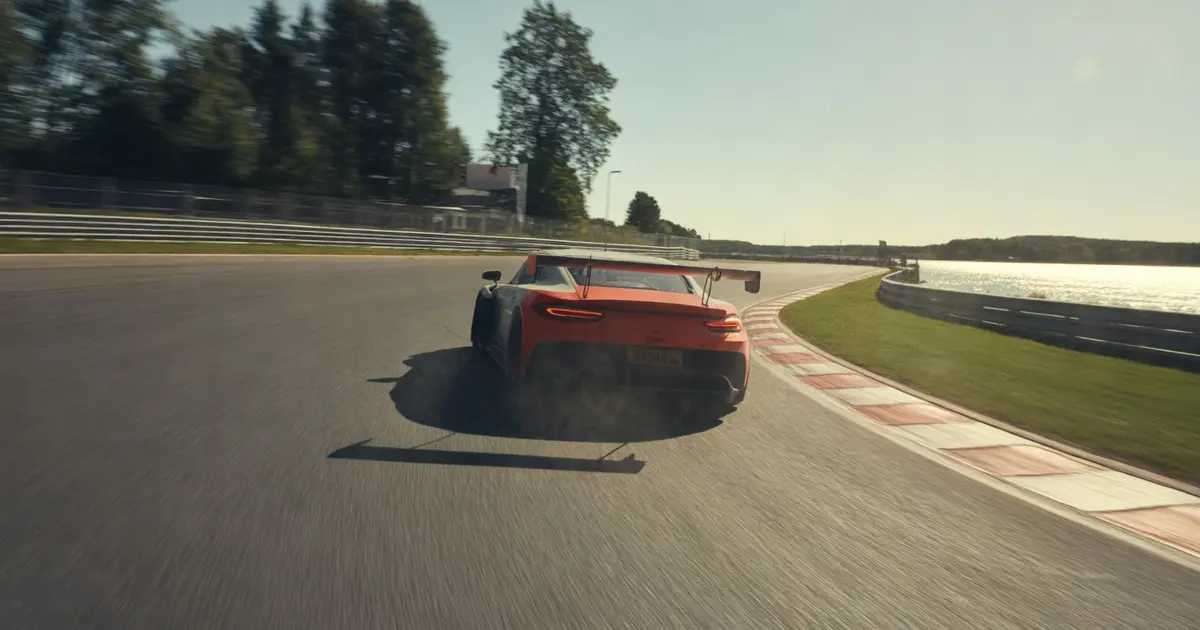
Where to place your wheels, what setup change helps, and how to confirm in the data whether the Lake Corner kerb at Tarumã is costing time instead of gaining it.
Hit the kerb on its low edge, only after the rear is already settled, and only on exit. If the car is still rotating when the wheel touches the high part of the kerb, it pushes the suspension and destabilizes the car — no matter how much radius you gain from it.
Lake Corner at Tarumã has a high kerb on the outer edge, with a dip that changes height along its length. That matters: the same move that works in the first few feet of the kerb can unsettle the car thirty centimeters later.
What the kerb does to the car
The kerb is not a shortcut in the racing line. It is a step of variable height that changes the vertical load on the wheel passing over it.
When the suspension is still working — the car rolling, weight transfer still in progress — that step turns into a lateral kick. The result is oversteer on exit, exactly where you are on the throttle and least prepared to correct it.
Where to place the wheels on the kerb
The sequence that works at Lake Corner follows a simple logic: stabilize first, then use the kerb, then accelerate.
- Finish the rotation before contact. The steering wheel should be nearly still by the time the outer front tire reaches the kerb.
- Use only the low edge. The strip closest to the asphalt absorbs the impact better; the higher part, closer to the concrete curb, is what destabilizes the car.
- Limit contact time. The longer the wheel stays on the kerb, the more likely it is to find an uneven spot along the way.
- Accelerate after, not during. Adding throttle at the moment of contact stacks two load events at once — that is where the rear lets go.
Setup: what helps and what hurts
Setup does not fix a bad kerb hit caused by bad driving, but a few adjustments make the car more tolerant of the impact.
| Symptom | Likely cause | What to test |
|---|---|---|
| Rear lets go when touching the kerb | Rear suspension too stiff | Reduce rear rebound by one click |
| Car bounces and loses grip on the asphalt afterward | Ride height too low | Raise rear ride height slightly |
| Oversteer only on cold tires | Pressure below the working range | Check hot pressure on pit exit |
It is worth remembering that tire pressure changes kerb behavior just as much as suspension setup — and that is tied to operating temperature, not just cold pressure, as shown in how to adjust tire pressure based on operating temperature.
Common mistake: mistaking a high kerb for extra radius
The most common mistake at Lake Corner is trying to open the radius by using the full width of the kerb, as if it were extra asphalt. That works on a flatter track. Not here.
In the data, this mistake shows up as a short spike of corrective steering right after the apex, followed by a drop in exit speed — you correct the rear and lose what you gained in radius.
- 1Entry
Braking complete, car already aimed before the kerb.
- 2Rotation
Steering nearly still when reaching the outer edge.
- 3Kerb contact
Only the low edge, no throttle added at this moment.
- 4Re-acceleration
Throttle comes in after the wheel has left the kerb.
How this changes by car
A GT3 with stiffer suspension feels the kerb step more violently; GTE or prototype cars, with more suspension travel, tolerate more contact before destabilizing. In a spec-series car with a harder tire, the mistake shows up later in the lap, because the tire heats up more slowly and masks the initial slip.
That is another reason not to copy another driver’s setup without understanding what they are compensating for — the right starting point is always to review the four base setup adjustments before fine-tuning kerb details.
How to confirm in the data whether the kerb is costing time
Comparing feel with telemetry is the only way to know whether a line change actually helped or just felt safer.
- Steering channel. Look for the corrective spike right after contact with the kerb — it signals correction, not line.
- Lateral acceleration channel. A sharp drop at the same point confirms grip loss, not just impression.
- Exit speed. Compare the lap with and without using the kerb in the same session; the real difference shows up there, not in how fast it “felt”.
These three channels are the starting point for any corner diagnosis, described in more detail in which three channels to look at first in your telemetry.
A kerb used well does not feel like more speed — it shows up as equal or higher exit speed, with less steering correction.
Practical summary
Finish the rotation before touching the kerb, use the low edge, avoid accelerating at the moment of contact, and check in the data whether the radius gain is not turning into steering correction afterward.
If the oversteer only shows up after several laps, the problem might not be the kerb but tire wear — it is worth checking whether you are not destroying the front tire too early before changing anything else.
Frequently asked questions
Should the Lake Corner kerb be avoided entirely?
No. Used on the low edge and only on exit, it helps open the radius without risk. The problem is using the high part or touching it while still rotating.
Does changing the setup fix the oversteer in this corner?
It helps the car tolerate the impact better, but it does not fix bad driving. First adjust the contact point, then adjust the setup.
Does this change between a GT3 car and a spec-series car?
Yes. The GT3’s stiffer suspension feels the step more strongly; cars with more suspension travel tolerate more contact before destabilizing.
How do I know if I’m losing time in this specific corner?
Compare exit speed between laps with and without full use of the kerb, looking at the steering channel right after contact.
Does tire pressure affect behavior over the kerb?
Yes, a tire below the working range tends to slip more on impact, especially in the first laps of a stint.
Does Laptics analyze a specific corner like Lake Corner at Tarumã?
Laptics’ AI analysis compares your laps by corner phase and shows where time is lost, including points like kerb entry, but it does not drive or correct the lap for you.
Want to see this in your own telemetry?
Discover Laptics